Uploading MIBs
MIB Viewer lets you upload a MIB file and browse it immediately, with no account and nothing installed. This guide covers uploading, what happens when you upload a newer revision of a MIB already in the shared database, and what does and doesn't survive after you leave the page.
Uploading a file
Drop a file onto the upload zone in the sidebar, or click it to browse. .mib, .txt, and .my are all accepted.
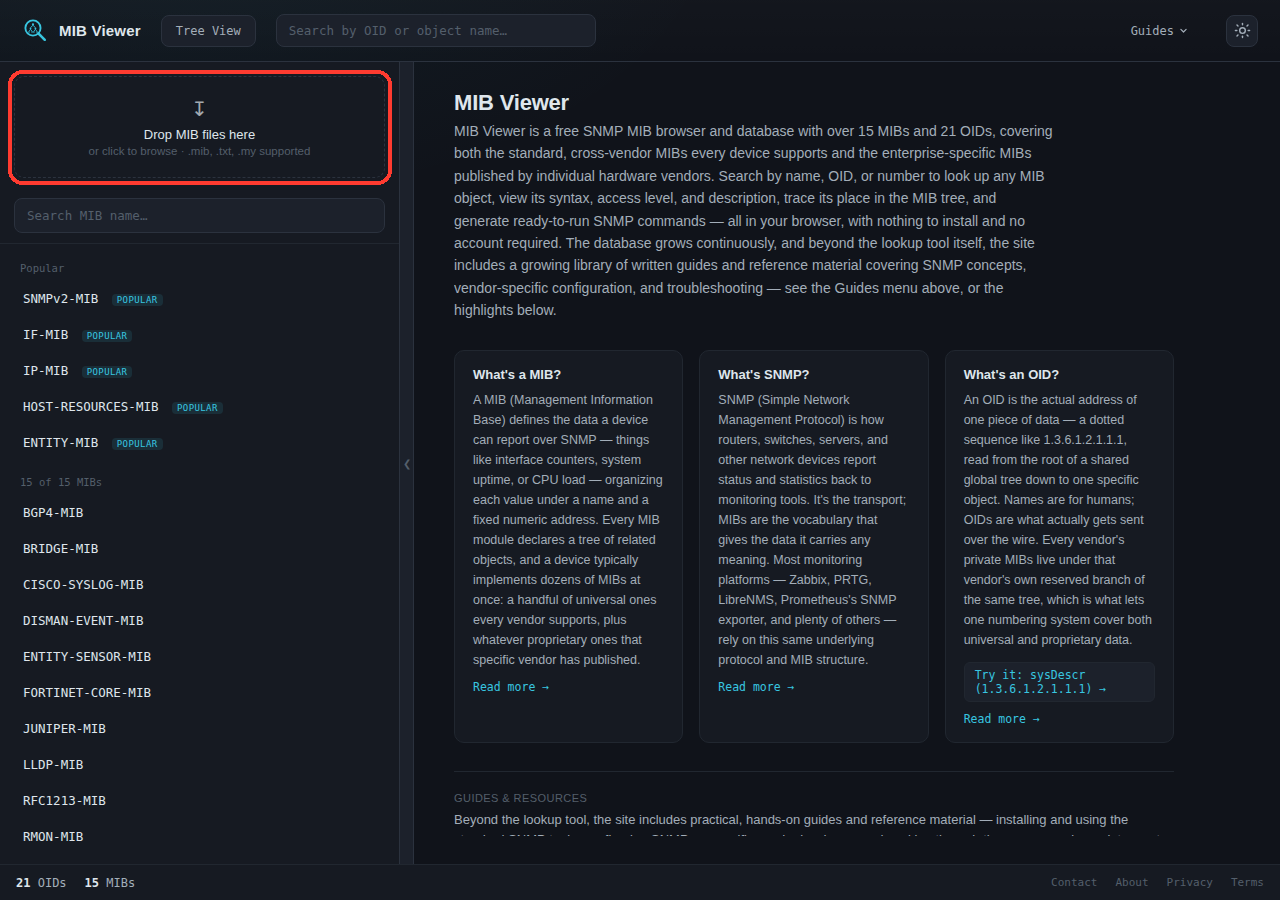
The file is sent to the server to be parsed, but it is not added to the shared database. It's saved and parsed so you can browse it, but nothing about the upload is visible to other users. Adding a MIB to the shared database is a separate, manual process.
What you get after uploading
A feedback line above the search box confirms the upload, and the MIB appears in a new "local-only" section in the sidebar, tagged LOCAL.
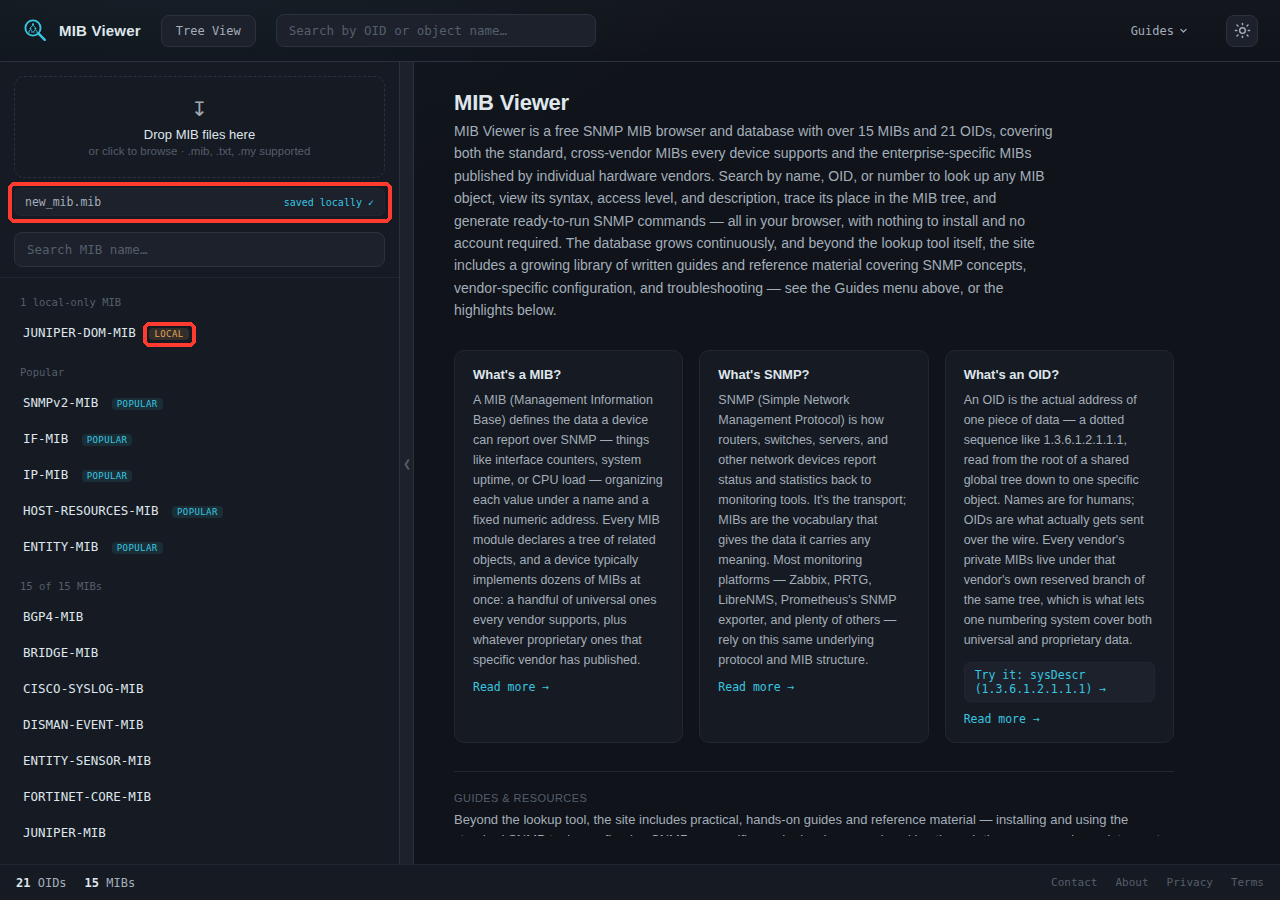
Opening it shows the same MIB view as a shared MIB - object table, OIDs, access levels, descriptions, type filters, Generate SNMP Command. The one difference: no Download button, since download only applies to files already in the shared database.
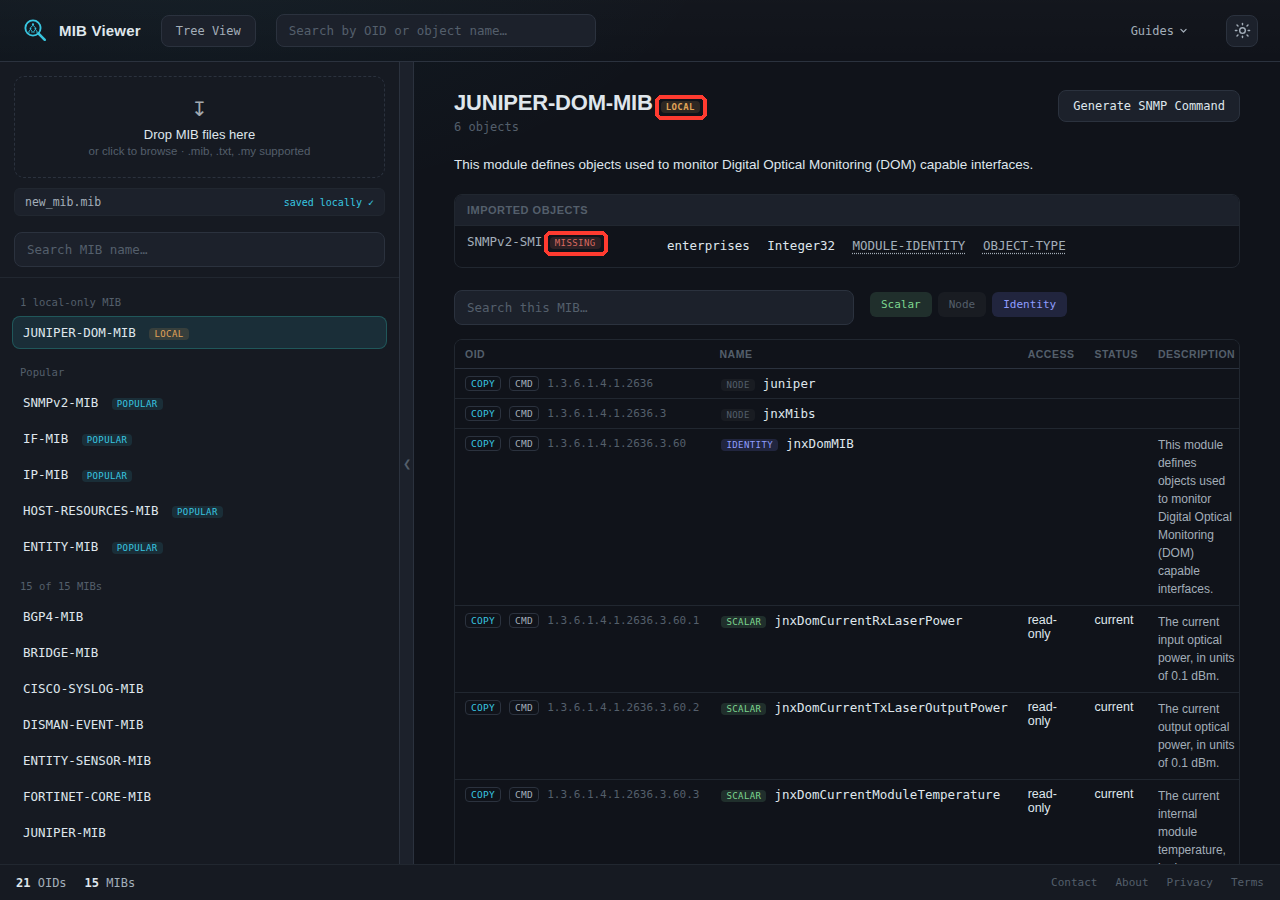
SNMPv2-SMI as missing, since this preview only has what was in the uploaded file.A local preview resolves against the shared database plus anything else you've uploaded this session. If a file's IMPORTS clause references a MIB that isn't in either, that dependency shows as missing rather than being guessed at.
Uploading the same MIB twice
Uploading a file whose module name matches one already in the shared database is rejected. Nothing changes, and the feedback line says so.
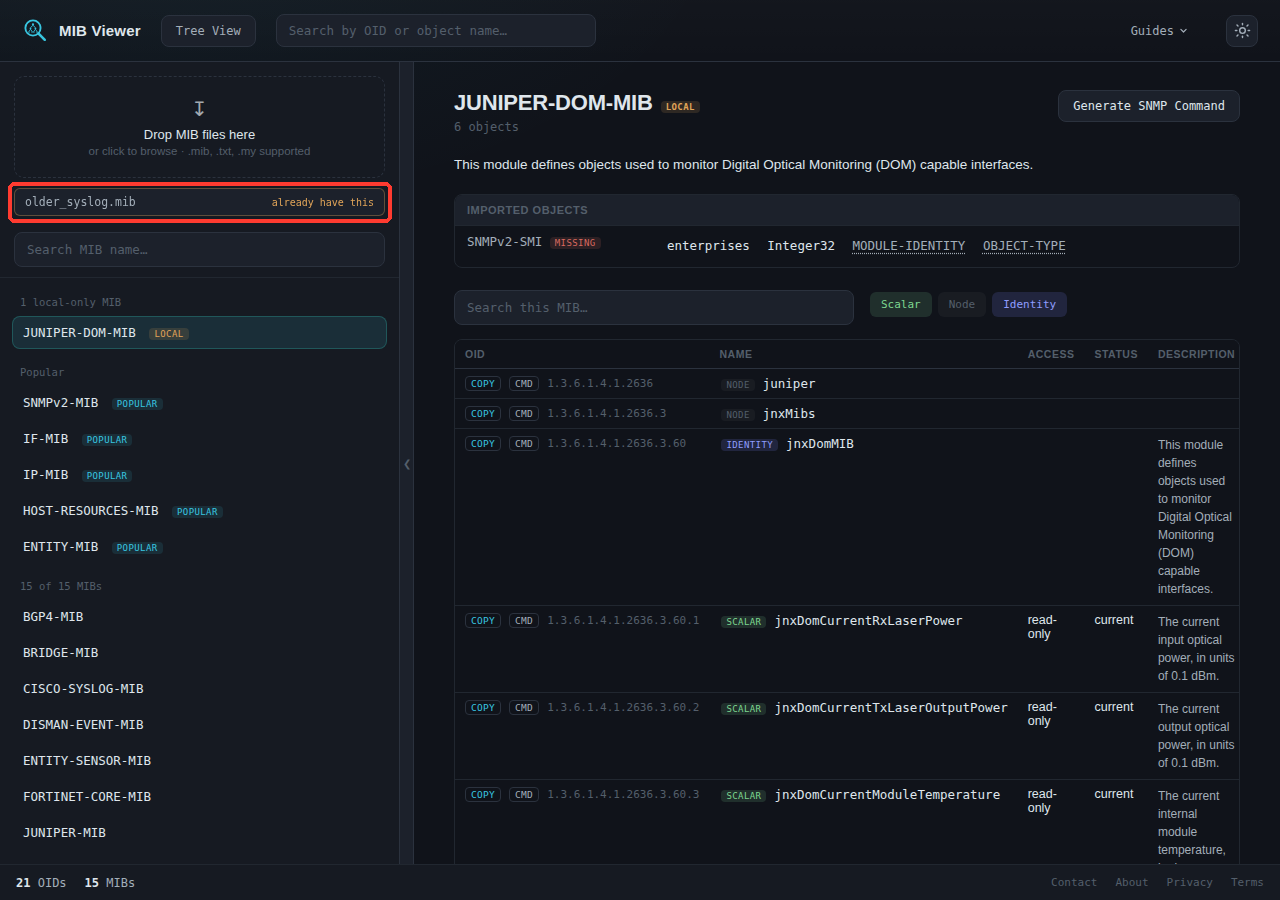
The match is by the MIB's declared module name - the name after DEFINITIONS ::= BEGIN - not filename or file content. A different filename, different whitespace, or different line endings is still recognized as the same MIB.
The exception: a newer revision
One case is not rejected: a file whose LAST-UPDATED value is later than the one already stored. LAST-UPDATED is the timestamp every well-formed MIB declares in its MODULE-IDENTITY clause, and it's the only thing compared - not the upload date, not anything else about the file. A later value lets the upload through as a local preview instead of being rejected.
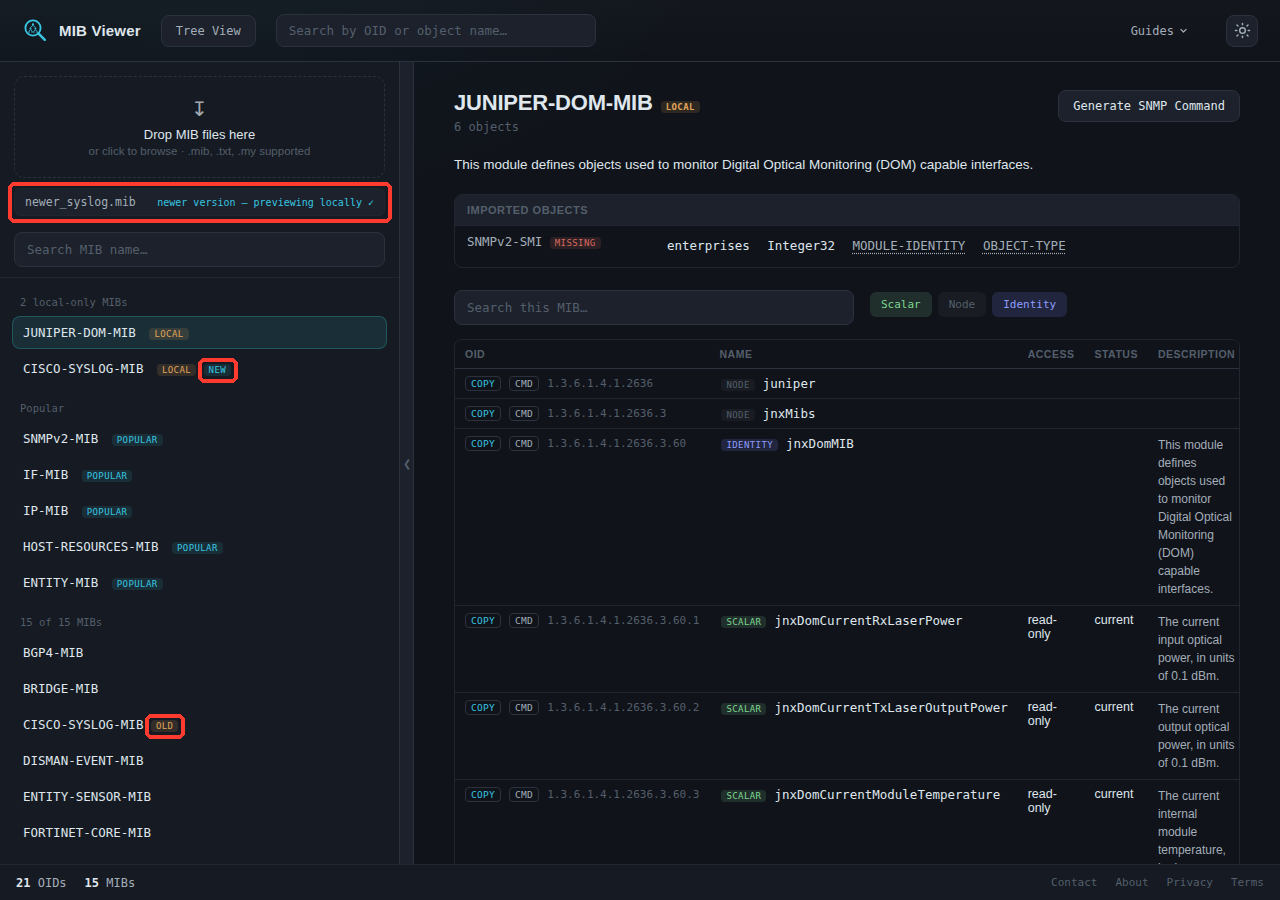
LAST-UPDATED is let through as a preview. Both sides are tagged: NEW on the local upload, OLD on the shared MIB it's newer than.- The comparison is strict - equal or older values are still rejected.
- If either file's
LAST-UPDATEDcan't be determined, the upload is rejected rather than guessed at. - This doesn't touch the shared database. The NEW/OLD tags apply only to your own session; the shared copy is unchanged.
Finding these in the search bar
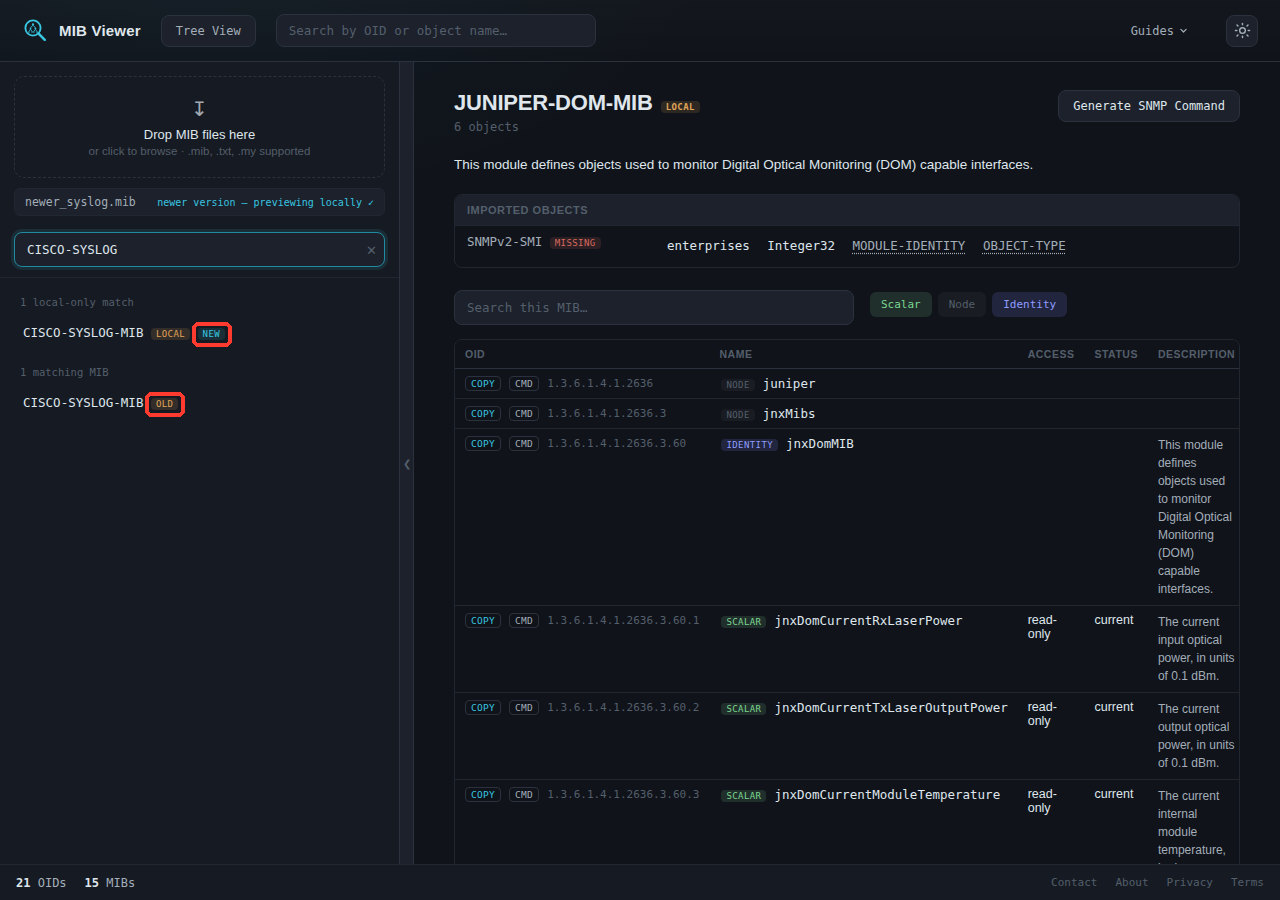
The NEW/OLD tags also appear in "Search MIB name" results.
What persists, and what doesn't
A local preview exists only in that browser tab's memory, for that session. Refresh the page, close the tab, or come back later, and it's gone - not archived, not recoverable.
Opening an uploaded MIB updates the URL to something like ?mib=JUNIPER-DOM-MIB, the same as a shared MIB. Refreshing at that URL:
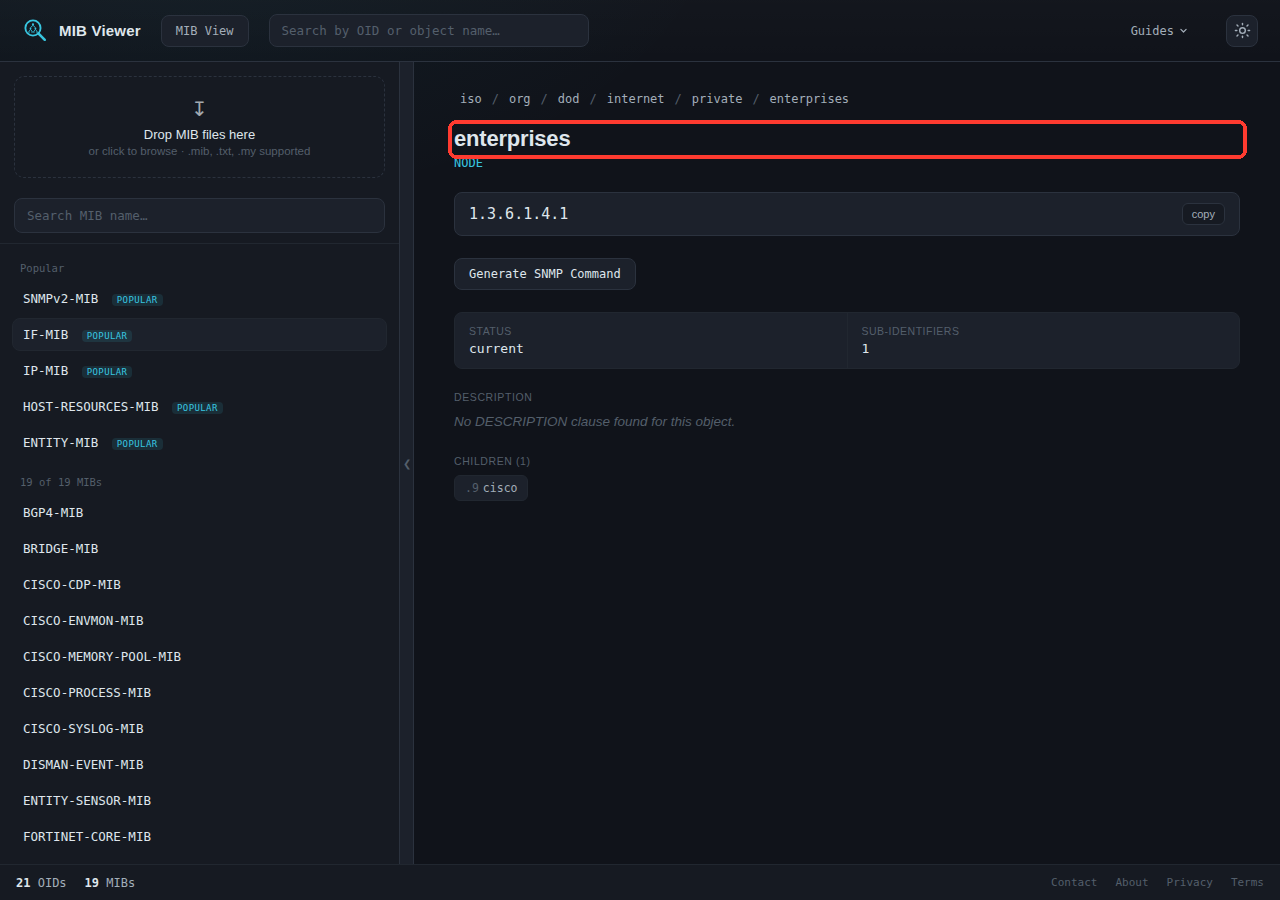
?mib=JUNIPER-DOM-MIB, but the preview is gone. The app falls back to a default tree page, with no message explaining the change.The URL only ever held a module name. Resolving a name requires a lookup, and a local-only preview exists only in that tab's memory - there's nowhere else for the lookup to find it. To return to something you uploaded, upload it again.
The raw file itself is saved to the server. What's lost on refresh is the parsed preview built from it. That saved file isn't something you can retrieve through the interface - it's available for an administrator to review and add to the shared database separately, outside this upload flow.